更新中


iPhone Screenshots



說明
With this app you can manage multiple WiFi access data.
You can use a generated QR code to pass on the access data. Show it on your iPhone, or a second screen (even with direct AirPlay) or by sending it as a photo. Importing such a QR code ( "WIFI:" format - also from other apps) is also possible and thus directly integrate the access data into your collection. This is done by live camera or static photo.
Additionally the scanning from your router NFC tags is supported.
The App includes two Siri Extensions:
- "Tell Current WiFi" can be activated from the main view and then Siri can directly answer you, what is the name of the current connected WiFi.
- "WiFi Credentials" can be activated on the detail view of a wifi setting. Siri will bring you to this view, so that you can share the settings.
An iMessage Extension is included, which send the WiFi Data as a message and automatically receives those data from such a message.
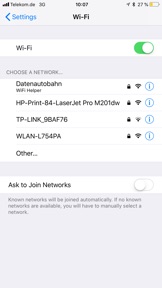
The app helps you to set up WiFi access by passing the access data to iOS. To set up a new WiFi from your collection, simply click on the WiFi in the iOS settings or connect it from inside the app - the app will passes the password directly to iOS (to be recognized by the app name under the WiFi SSID).
The Apple Watch companion app lists all WiFi access data from the iPhone app. If the WiFi used by the iPhone is in the list, it will be highlighted in green. After selecting a WiFi SSID, the Apple Watch app displays the QR code with the WiFi settings data, to import them somewhere else.
We also support a companion Alexa Skill. To quickly find and activate the skill, we linked it directly in the App. You can connect the App to the Skill via a connection QR Code shown by an Echo Show or a six digit code read out by Alexa. After connecting the app with the skill, you can transfer WiFi credentials by swiping a switch on the detail view and the skill will present those credentials for you.
For customers of Deutsche Telekom, they offer for theier router models:
- Speedport w724v Type C
- Speedport w922v
- Speedport w925v
- Speedport Entry 2
- Speedport NEO
- Speedport Hybrid
- Speedport Smart
- Speedport Smart 2
- Speedport Smart 3
- Speedport Pro
a router passwort, which shows the standard Wi-FI accessdata also in a special QR code. This can be read by the app.
For feedback, questions or problems, please contact wlan@anrufliste.com
此版本中有什麼更新? (5.2)
We added two Siri Extensions:
- "Tell Current WiFi" can be activated from the main view and then Siri can directly answer you, what is the name of the current connected WiFi.
- "WiFi Credentials" can be activated on the detail view of a wifi setting. Siri will bring you to this view, so that you can share the settings.
銷售商
名稱
Emil Thies
資訊
開發人員
類別
版本
5.2
大小
36.7 MB
Game Center
否
VPP Device Licensing
是
喜好程度
分級:4+
相容性
iOS 10.0 或更新版本
裝置
iPhone 5, iPhone 5c, iPhone 5s, iPhone 6, iPhone 6 Plus, iPhone 6s, iPhone 6s Plus, iPhone SE, iPhone 7, iPhone 7 Plus, iPhone 8, iPhone 8 Plus, iPhone X, iPhone XR, iPhone XS, iPhone XS Max, iPhone 11, iPhone 11 Pro, iPhone 11 Pro Max, iPhone SE(第 2 代), iPhone 12, iPhone 12 Pro, iPhone 12 Pro Max, iPhone 12 mini, iPhone 13, iPhone 13 Pro, iPhone 13 Pro Max, iPhone 13 mini, iPhone SE(第 3 代), iPhone 14, iPhone 14 Plus, iPhone 14 Pro, iPhone 14 Pro Max, iPhone 15, iPhone 15 Plus, iPhone 15 Pro, iPhone 15 Pro Max, iPhone 16, iPhone 16 Plus, iPhone 16 Pro, iPhone 16 Pro Max, iPhone 16e, iPad(第四代)(Wi-Fi), iPad(第四代)(4G), iPad(第 5 代)Wi-Fi, iPad(第 5 代)Wi-Fi + Cellular, iPad(第 6 代)Wi-Fi, iPad(第 6 代)Wi-Fi + Cellular, iPad Pro, iPad Pro (Cellular), iPad Pro(9.7 英吋), iPad Pro(9.7 英吋)(Cellular), iPad Pro 12.9 英寸(第 2 代), iPad Pro 12.9 英寸(第 2 代) Wi-Fi + Cellular, iPad Pro(10.5 英寸), iPad Pro(10.5 英寸) Wi-Fi + Cellular, iPad Pro(11 英寸), iPad Pro(11 英寸) Wi-Fi + Cellular, iPad Pro 12.9 英寸(第 3 代), iPad Pro 12.9 英寸(第 3 代) Wi-Fi + Cellular, iPad Air, iPad Air (Cellular), iPad Air 2, iPad Air 2 (Cellular), iPad Air(第三代), iPad Air(第三代) Wi-Fi + Cellular, iPad mini Retina, iPad mini Retina (Cellular), iPad mini 3, iPad mini 3 (Cellular), iPad mini 4, iPad mini 4 (Cellular), iPad mini(第 5 代), iPad mini(第 5 代)Wi-Fi + Cellular, iPad(第 7 代)Wi-Fi + Cellular, iPad Pro(11 英寸,第 2 代), iPad Pro(11 英寸,第 2 代)(Wi-Fi + 行動網路), iPad Pro(12.9 英寸,第 4 代), iPad Pro(12.9 英寸,第 4 代)(Wi-Fi + 行動網路), iPad Air(第四代)(Wi-Fi), iPad Air(第四代)(Wi-Fi + Cellular), iPad(第 8 代)Wi-Fi, iPad(第 8 代)Wi-Fi + Cellular, iPad Pro(11 英寸,第 3 代), iPad Pro(11 英寸,第 3 代)(Wi-Fi + 行動網路), iPad Pro(12.9 英寸,第 5 代), iPad Pro(12.9 英寸,第 5 代)(Wi-Fi + 行動網路), iPad(第 9 代), iPad(第 9 代)Wi-Fi + Cellular, iPad mini(第 6 代), iPad mini(第 6 代)Wi-Fi + Cellular, iPad Air(第 5 代), iPad Air(第 5 代) Wi-Fi + Cellular, iPad Pro(11 英寸,第 4 代), iPad Pro(11 英寸,第 4 代)(Wi-Fi + 行動網路), iPad Pro(12.9 英寸,第 6 代), iPad Pro(12.9 英寸,第 6 代)(Wi-Fi + 行動網路), iPad(第 10 代), iPad(第 10 代)(Wi-Fi + 行動網路), iPad Air 11 吋(M2)Wi-Fi, iPad Air 13 吋(M2)Wi-Fi, iPad Air 13 吋(M2)Wi-Fi + 行動網路, iPad Pro 11 吋(M4)Wi-Fi, iPad Pro 11 吋(M4)Wi-Fi + 行動網路, iPad Pro 13 吋(M4)Wi-Fi, iPad Pro 13 吋(M4)Wi-Fi + 行動網路, iPad mini(A17 Pro)Wi-Fi, iPad mini(A17 Pro)Wi-Fi + 行動網路, iPad(A16,Wi-Fi), iPad(A16,Wi-Fi + 行動網路), iPad Air(11 吋,M3,Wi-Fi), iPad Air(11 吋,M3,Wi-Fi + 行動網路), iPad Air(13 吋,M3,Wi-Fi), iPad Air(13 吋,M3,Wi-Fi + 行動網路), iPod touch (第六代), iPod touch (第 7 代), Apple Watch Series 4
語言
德文, 英文
App Store:評等
評分與評論
0.0/5 (無評分)
App Store:評論
無條目