更新中


iPhone Screenshots








iPad Screenshots






說明
Browse GZ, RAR and ZIP archives and view 3D content from a variety of popular data formats right on your iPhone, iPad or iPod Touch. View 3D data attached to E-mail messages, download from websites or online cloud storage or transfer via iTunes document exchange or from the Files app.
3Dskope natively supports 3DS, ASE, OBJ, PLY, and STL formats. Additional data formats are available via 3Dskope Importer extensions (see below).
3Dskope also handles some bitmap formats not supported by iOS (e.g. DDS, TIFF, TGA). Other document types (AR content, PDF's, photos, movies, office doc's, etc...) are passed to iOS for preview generation.
Thus, 3Dskope is an advanced, high quality 3D viewer with additional general-purpose content viewing capabilities.
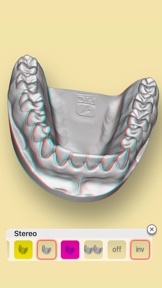
3Dskope lets you play animations embedded in 3DS or ASE files (mono- or stereoscopic), lets you toggle light sources and gives you an overview of the elements that comprise the scene (cameras, lights, materials, meshes, groups).
In addition to polygonal mesh geometry 3Dskope can import NURBS curves and surfaces from OBJ files.
Using 3Dskope's Magic Crosshair™ you can measure coordinates, distances, areas and volumes. In addition you can use the clip tool to display and animate cross-sectional views.
You can customize the UI for left-hand or right-hand operation. Also, you can select from a number of background patterns, gradients and color schemes or define your own look.
Additional capabilities are available via In-App Purchase extensions:
- 3Dskope Professional lets you load scene textures, provides extended visualization modes, and lets you render your scene in high resolution with transparent background.
- 3Dskope Explorer provides a new and intuitive way to view the properties of your scene’s cameras, lights, materials, nodes, animation tracks and animation keys. In addition you can explore individual meshes in a separate 3D view.
- 3Dskope Exporter lets you save your scene to various popular data formats (3DS, OBJ/MTL, PLY, and STL are currently available). Free trial exporters are included for evaluation. These have full functionality but the trial exporter's output can only be opened with 3Dskope and only on the same device. This way you can test the exporter before buying the unrestricted version via In-App purchase.
- 3Dskope Importer provides support for additional data formats. Static preview generation is available for free. Again, this lets you test before you buy the full functionality for a specific data format via In-App purchase. AC3D is the first additional data format provided by a 3Dskope Importer extension.
For a detailed app description view the 3Dskope Quick Start Guide on our website. There are also some short tutorial videos on YouTube. Just search for "3Dskope".
Please contact Seselmo Support if you have questions about 3Dskope or if you want to leave feedback. Also, please take a few moments to write an app review for 3Dskope.
ACKNOWLEDGEMENTS:
3D datasets used in screenshots:
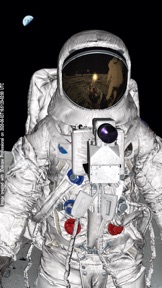
- Astronaut: albin via cgtrader.com (background and reflection map: NASA)
- Motorbike (included): gonzo-3d.com
- Turbine Blade: cc.gatech.edu/projects/large_models
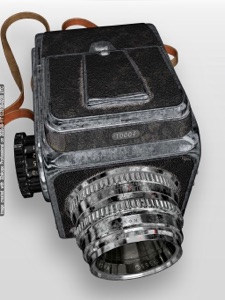
- Camera: booka80 via cgtrader.com
- Kap Hornier and Seahorse: deespona.com
- NURBS iPhone 5c (included): Andreas S. Gkertsos
- Dental Mould: scan sample by 3d3solutions.com
- Turbo Sonic (included): squir.com
- Vostok 1: Yevgeniya Chertova via cgtrader.com (background: ROSCOSMOS)
3Dskope Professional was used to create some of the screenshots.
Unless otherwise noted 3D datasets are NOT included with the app. With your download of the 3Dskope app you do NOT obtain any rights to included 3D datasets other than the right to display those datasets within the 3Dskope app. Any included 3D datasets may be removed from future versions of the app without compensation.
此版本中有什麼更新? (1.2.1)
Bug fixes and stability improvements
銷售商
名稱
Seselmo UG (haftungsbeschrankt)
資訊
類別
版本
1.2.1
大小
38 MB
Game Center
否
VPP Device Licensing
是
喜好程度
分級:4+
相容性
iOS 13.6 或更新版本
裝置
iPhone 5s, iPhone 6, iPhone 6 Plus, iPhone 6s, iPhone 6s Plus, iPhone SE, iPhone 7, iPhone 7 Plus, iPhone 8, iPhone 8 Plus, iPhone X, iPhone XR, iPhone XS, iPhone XS Max, iPhone 11, iPhone 11 Pro, iPhone 11 Pro Max, iPhone SE(第 2 代), iPhone 12, iPhone 12 Pro, iPhone 12 Pro Max, iPhone 12 mini, iPad(第 5 代)Wi-Fi, iPad(第 5 代)Wi-Fi + Cellular, iPad(第 6 代)Wi-Fi, iPad(第 6 代)Wi-Fi + Cellular, iPad Pro, iPad Pro (Cellular), iPad Pro(9.7 英吋), iPad Pro(9.7 英吋)(Cellular), iPad Pro 12.9 英寸(第 2 代), iPad Pro 12.9 英寸(第 2 代) Wi-Fi + Cellular, iPad Pro(10.5 英寸), iPad Pro(10.5 英寸) Wi-Fi + Cellular, iPad Pro(11 英寸), iPad Pro(11 英寸) Wi-Fi + Cellular, iPad Pro 12.9 英寸(第 3 代), iPad Pro 12.9 英寸(第 3 代) Wi-Fi + Cellular, iPad Air, iPad Air (Cellular), iPad Air 2, iPad Air 2 (Cellular), iPad Air(第三代), iPad Air(第三代) Wi-Fi + Cellular, iPad mini Retina, iPad mini Retina (Cellular), iPad mini 3, iPad mini 3 (Cellular), iPad mini 4, iPad mini 4 (Cellular), iPad mini(第 5 代), iPad mini(第 5 代)Wi-Fi + Cellular, iPad(第 7 代)Wi-Fi + Cellular, iPad Pro(11 英寸,第 2 代), iPad Pro(11 英寸,第 2 代)(Wi-Fi + 行動網路), iPad Pro(12.9 英寸,第 4 代), iPad Pro(12.9 英寸,第 4 代)(Wi-Fi + 行動網路), iPad Air(第四代)(Wi-Fi), iPad Air(第四代)(Wi-Fi + Cellular), iPad(第 8 代)Wi-Fi, iPad(第 8 代)Wi-Fi + Cellular, iPad Pro(11 英寸,第 3 代), iPad Pro(11 英寸,第 3 代)(Wi-Fi + 行動網路), iPad Pro(12.9 英寸,第 5 代), iPad Pro(12.9 英寸,第 5 代)(Wi-Fi + 行動網路), iPod touch (第六代), iPod touch (第 7 代)
語言
英文
App Store:評等
評分與評論
0.0/5 (無評分)
App Store:評論
無條目