說明
“This iOS Camera App Brings Out the Pro in Amateurs”
-LifeHacker
“Lavish, tactile, respectful, illuminating, gorgeous.”
- iMore
“Halide has the potential transform how you make photos with your phone.”
- Uncrate
“This sort of maniacal attention to the smallest of details deserves to be celebrated.”
- Daring Fireball
––––––––––––––––––––––––––
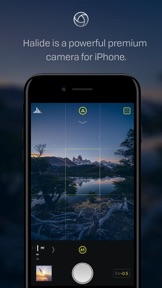
Halide is a groundbreaking camera app for deliberate and thoughtful photography. With high-end tools and beautiful details, Halide is your go-to camera when you want to really take a photo rather than a quick snapshot.
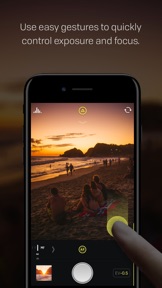
Use gestures in Halide’s to change exposure and manual focus. Customize controls to adapt the app to your needs. Halide’s professional tools include focus peaking, a detailed histogram, adaptive level grid, and RAW support.*
Features:
- Beautiful, intuitive gesture-based interface
- Focus peaking* and powerful manual focus
- Full manual controls including exposure, ISO and white balance
- Live histogram for perfect exposure*
- Captures RAW or JPG for the best quality shots*
- Grid overlay with built-in level
- Quick-review of your last few shots
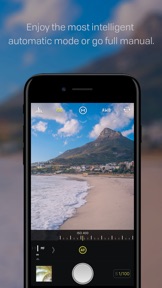
- Intelligent automatic and manual mode
*Compatibility:
Focus peaking requires iPhone 5S or later (5S, 6, 6S, 7, 8, SE)
Histogram requires iPhone 6 or later. (6, 6S, 7, 8, SE)
RAW require 6S or later. (6S, 7, 8, SE)
此版本中有什麼更新? (1.2.2)
This update should speed things up and free up storage space. It also contains all the big features from 1.2.0, our first release to take advantage of iOS 11:
1. DEPTH MODE
The first thing you’ll notice is depth support on iPhone 7 Plus and 8 Plus. Tap “Depth” in the focus bar to activate it. In the photo reviewer, tap the Depth button to see the depth-map. Force-touch for a quick preview.
Due to how depth works, you can’t capture RAW or use manual settings in Depth mode. You can still tap to focus and expose, and swipe up and down to change bias. You can also tap the “MAX” button, and we’ll save your image at the highest quality.
Halide isn’t focused on filters, so we don’t supply a portrait mode effect. You can apply it in the iOS Photos app by tapping the Edit button, and a “Portrait” button will appear up top.
2. HEIC
We now save images in HEIC format on devices that support it. On average, it saves image half the size with no impact on quality.
There’s no setting. If your device supports HEIC, we’ll use it, otherwise we’ll fall back to JPEG.
3. Faster, more reliable RAW
We’ve reduced the resolution of the preview image embedded in RAW captures. We’ve found it speeds up capture, improves reliability, and uses slightly less space. Remember, not every app fully supports RAW. To see the full resolution image, load your images in apps that fully support RAW, such as Darkroom.
4. FIXES:
We’ve fixed our top three crashes, and a handful bugs. If you still have problems, email us at support@halide.cam and we’ll get right on it.
If you love Halide, we'd be very thankful if you rated us. We don't prompt in-app, and ratings get reset with updates, so every bit helps.
— Ben & Sebastiaan